
Using Dependency Injection in a WPF MVVM Application
TLDR
- To use Dependency Injection (DI) in WPF, you must remove the
StartupUriattribute fromApp.xamland manually create and display theMainWindowin theOnStartupmethod. - When using
CommunityToolkit.Mvvm, the ViewModel must inherit fromObservableObjectand be declared as apartialclass. ObservablePropertyautomatically generates Pascal Case properties for XAML binding.RelayCommandautomatically generates properties named "Method Name + Command" for XAML binding.
Using Dependency Injection in WPF
Introducing Microsoft.Extensions.DependencyInjection into a WPF project allows for effective management of object lifecycles and decoupling of components.
App.xaml Configuration and Notes
To use DI in WPF, you must adjust the application's startup logic.
When you might encounter this issue: If you keep the StartupUri attribute in App.xaml while adding parameters that require injection to the MainWindow constructor, the WPF framework will throw an error because it cannot find a parameterless constructor.
Solution:
- Remove the
StartupUriattribute fromApp.xaml. - Manually create the
ServiceProviderand launch theMainWindowin theOnStartupmethod ofApp.xaml.cs.
public partial class App : Application {
    protected override void OnStartup(StartupEventArgs e) {
        IConfigurationBuilder builder = new ConfigurationBuilder()
            .SetBasePath(Directory.GetCurrentDirectory())
            .AddJsonFile("appsettings.json", optional: false, reloadOnChange: true);

        IConfiguration configuration = builder.Build();

        ServiceCollection serviceCollection = new ServiceCollection();
        ConfigureServices(serviceCollection, configuration);

        ServiceProvider serviceProvider = serviceCollection.BuildServiceProvider();

        MainWindow mainWindow = serviceProvider.GetRequiredService<MainWindow>()!;
        mainWindow.Show();
    }

    private static void ConfigureServices(IServiceCollection services, IConfiguration configuration) {
        services.Configure<AppOptions>(configuration!.GetSection("App"));
        services.AddTransient<MainWindow>();
        services.AddTransient<ViewModel>();
    }
}Building a WPF MVVM Application
Using CommunityToolkit.Mvvm can significantly simplify the MVVM development process.
ViewModel Implementation Standards
When you might encounter this issue: If you do not correctly use the partial modifier or fail to inherit from ObservableObject, the Source Generators will not be able to generate the corresponding properties and Commands, leading to compilation failures or broken bindings.
Implementation Highlights:
- The ViewModel must inherit from
ObservableObject. - The ViewModel must use the
partialmodifier. - Use the
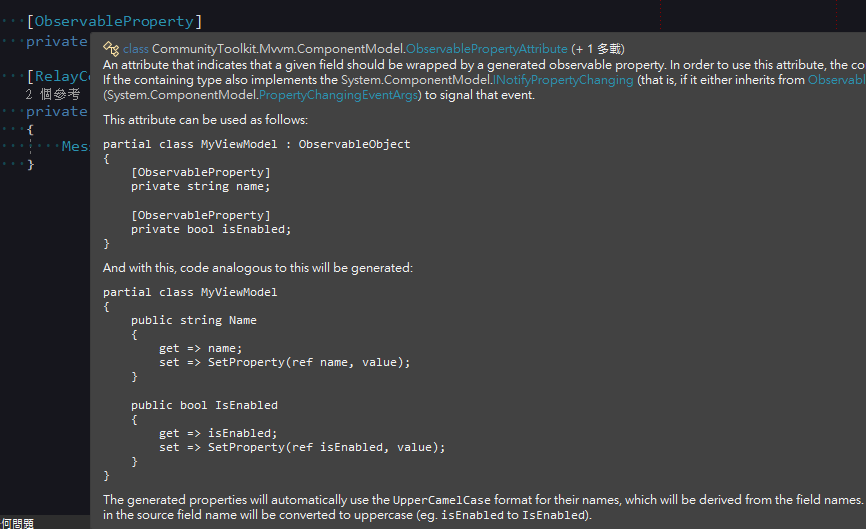
[ObservableProperty]attribute on fields; the system will automatically generate the corresponding Pascal Case property. - Use the
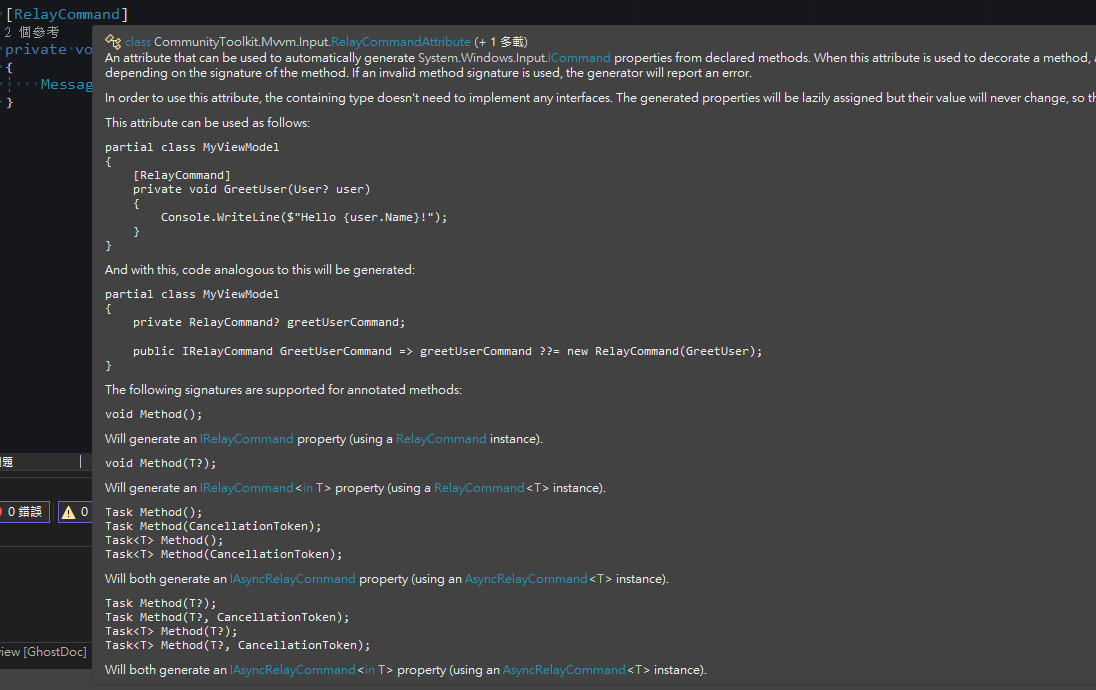
[RelayCommand]attribute on methods; the system will automatically generate the corresponding "Method Name + Command" property.
public partial class ViewModel : ObservableObject {
    [ObservableProperty]
    private string? input;

    [RelayCommand]
    private void Submit() {
        MessageBox.Show("Input value: " + Input);
        Input += "_Modified";
    }
}
MainWindow.xaml Binding
Inject the ViewModel via DI in the MainWindow constructor and set the DataContext.
public partial class MainWindow : Window {
    public MainWindow(ViewModel viewModel) {
        InitializeComponent();
        DataContext = viewModel;
    }
}When binding in XAML, use the names generated by the Source Generator:
<TextBox Text="{Binding Input}"/>
<Button Content="Submit" Command="{Binding SubmitCommand}"/>Execution Results
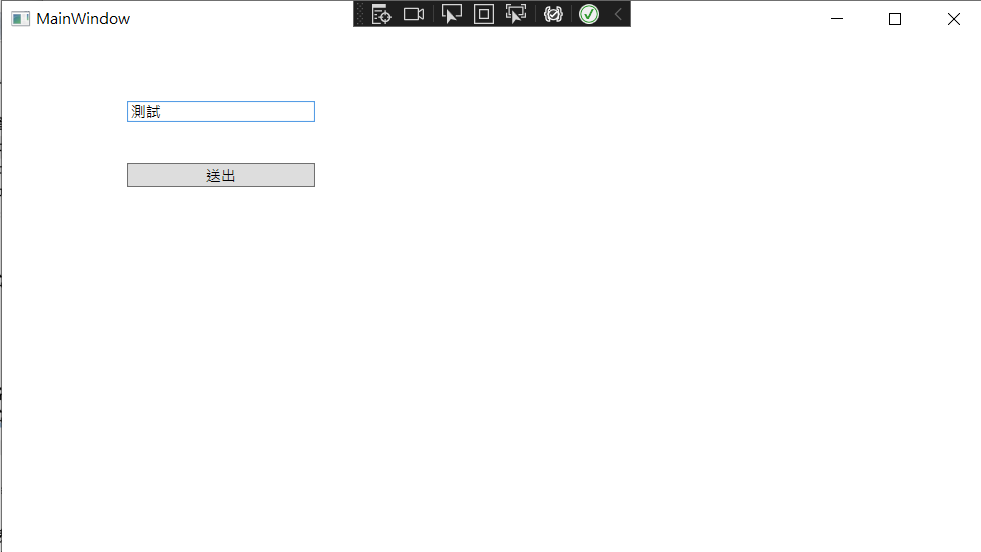
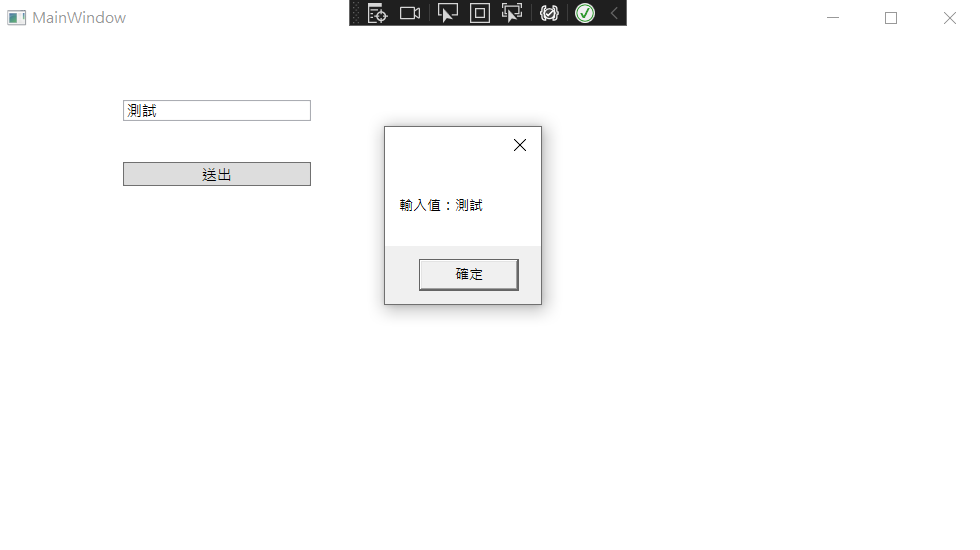
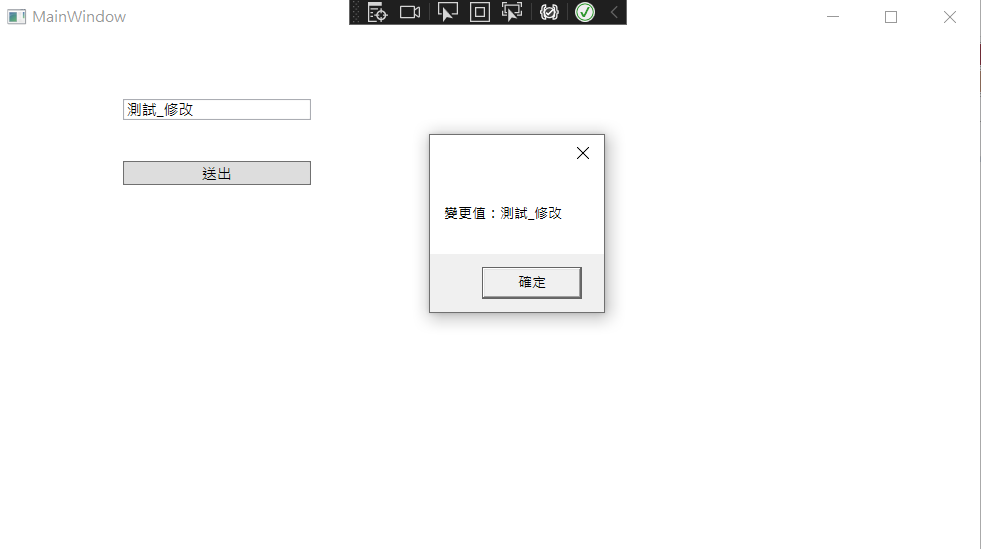
- After entering data and clicking the button,
SubmitCommandwill correctly trigger theSubmit()method. - With properties generated by
ObservableProperty, the UI will automatically update when theInputvalue changes in theViewModel.
Change Log
- 2023-02-15 Initial version created.